
Tolkly Tiếng Việt

Translate the meaning, not just the word.

Select any text in Chrome and read it in your language in under a second. Tolkly's AI then reads the paragraph and tells you what the words mean in that sentence.

Coming soon to Chrome free Also Edge and Brave · No account
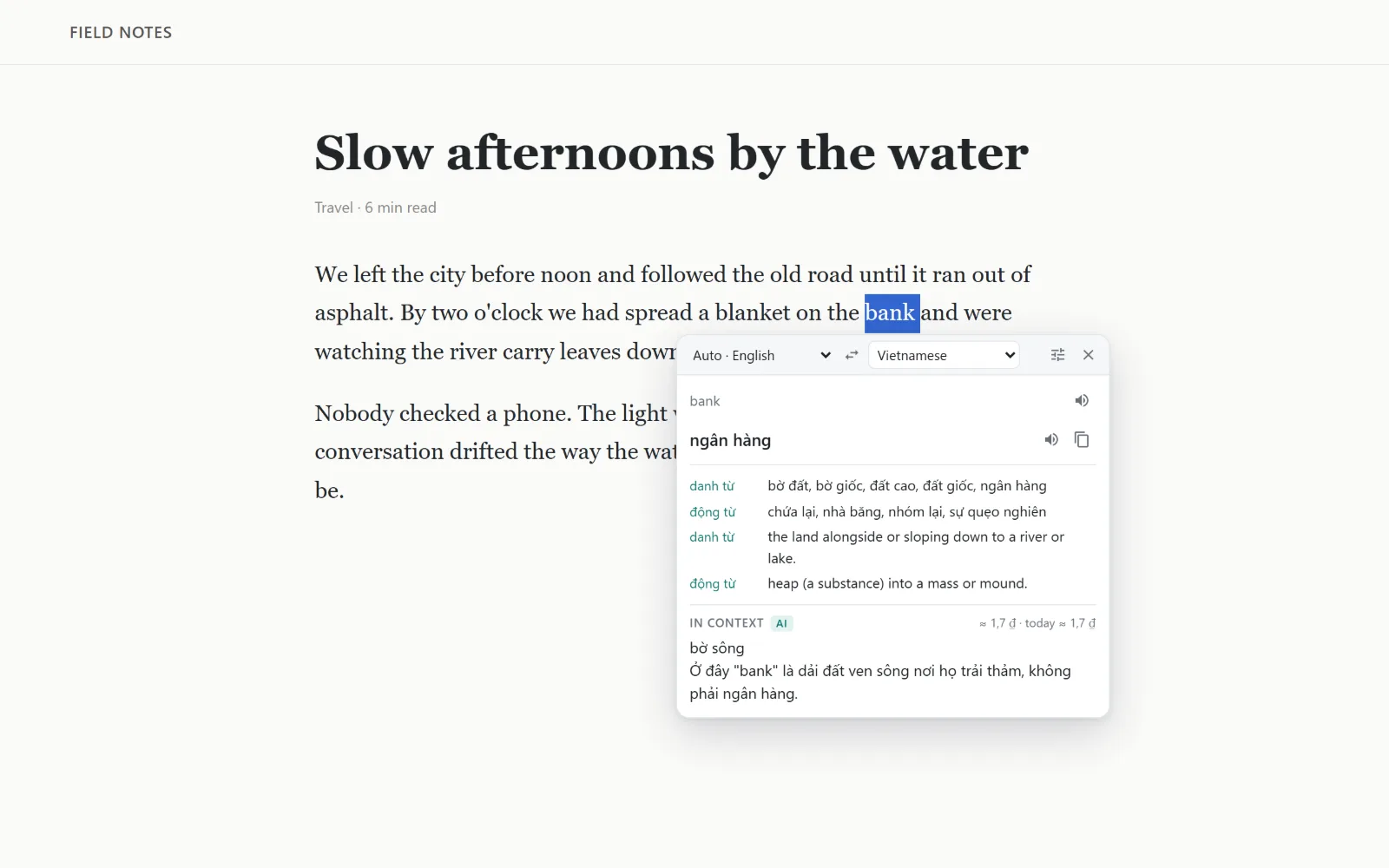
Tolkly panel over an article: the word bank is selected, the dictionary gives the financial meaning, and the AI line explains it means the riverside in this sentence.

What is Tolkly?

Tolkly is a free browser extension for Chrome, Edge and Brave that translates selected text into 38 languages. An optional AI line, using your own Gemini, DeepSeek or local Ollama key, explains the meaning in context. It reads PDFs, works on pages that block selection, and shows no ads.

It keeps working where other translators stop.

Most translator extensions only see plain web text. These are the three places Tolkly was built for.

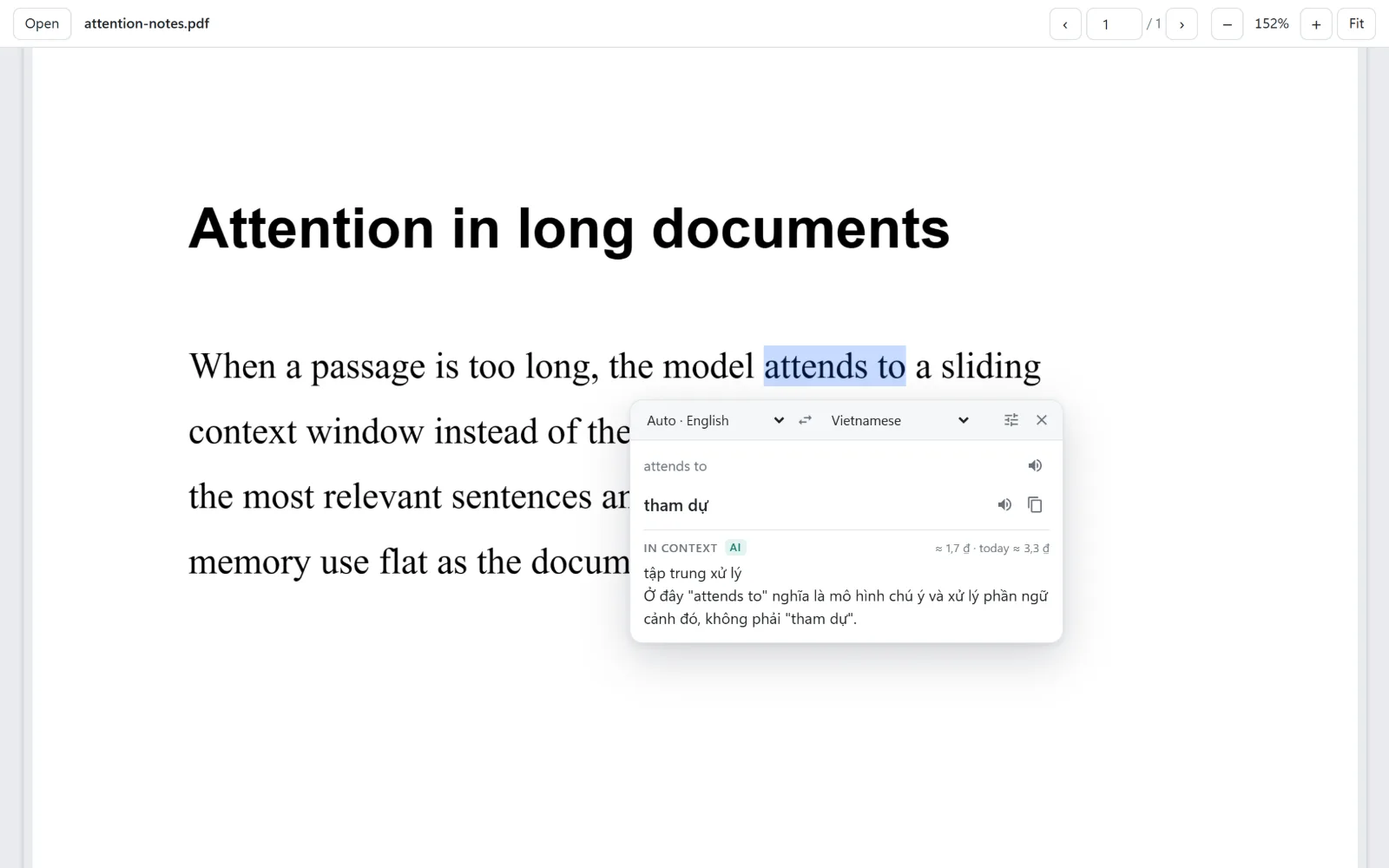
Tolkly PDF reader with the phrase attends to selected and translated, plus an AI note explaining the meaning in a machine learning text.

PDFs you can actually select

Web PDFs open in Tolkly's reader, built on PDF.js. Every line is real text, so you select and translate like on any page. Drop a local file onto it to read offline documents.

Opens automatically once you allow it, or right-click a PDF link.

Pages that disable selecting

Some sites block selection and right-click. Turn selection back on for that site from the toolbar, or skip selecting entirely and translate the paragraph under your pointer.

Alt + Shift + click a paragraph

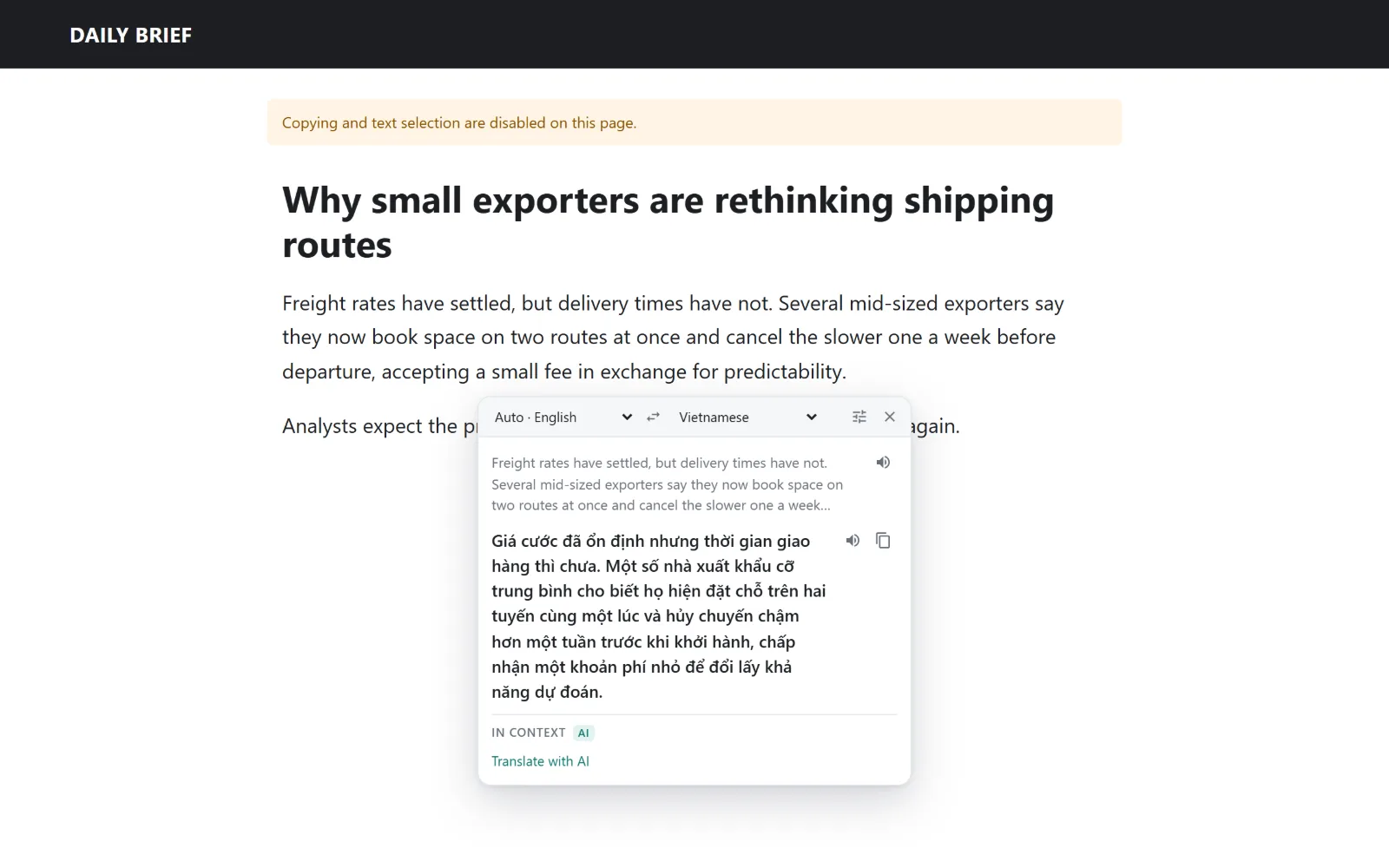
A news page that disables text selection, with Tolkly translating a whole paragraph after an Alt+Shift click.
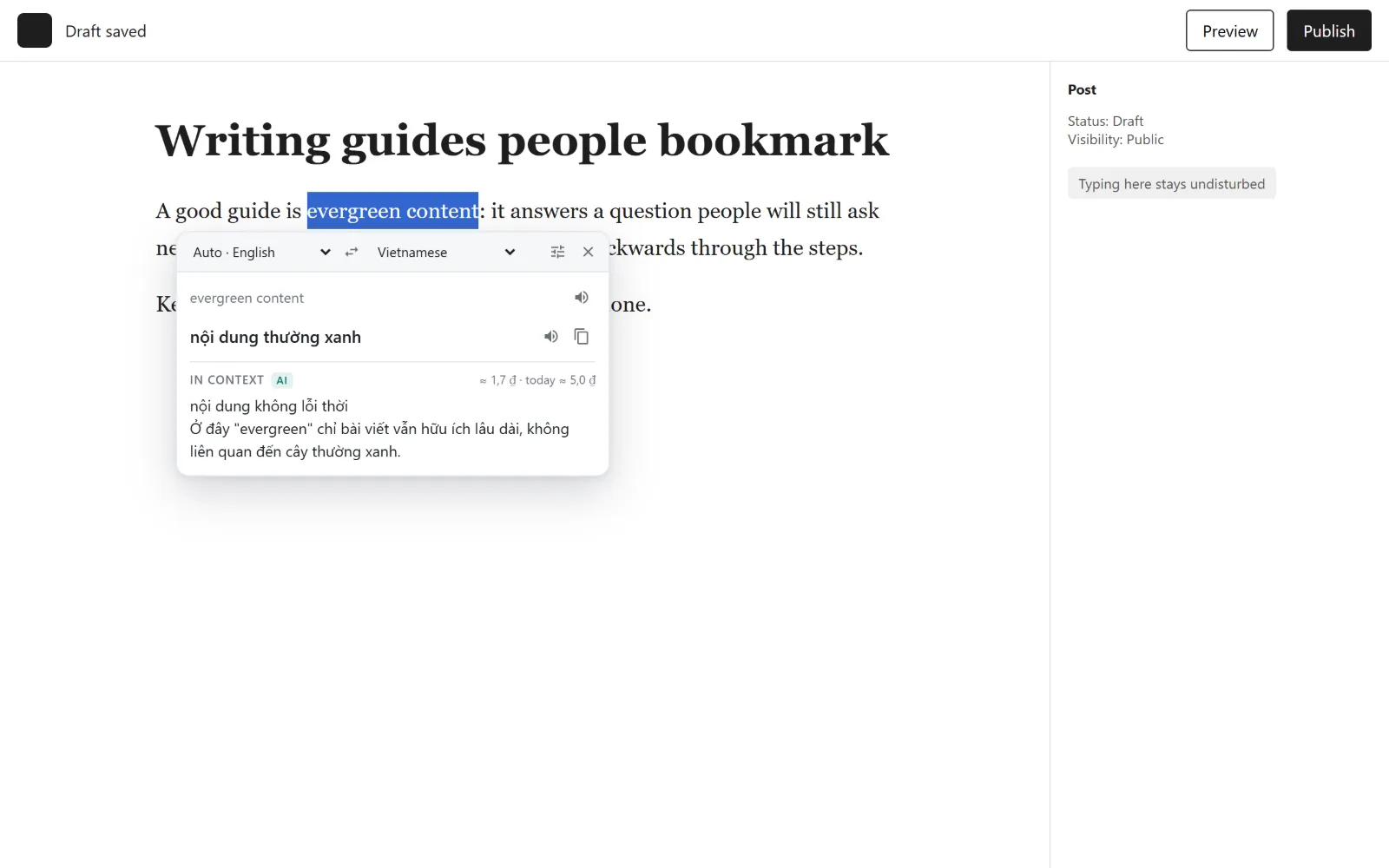
A post editor where Tolkly translated the phrase evergreen content after Alt+select, without changing the draft.

Editors, without the mess

While you write in WordPress or a comment box, Tolkly stays silent. Hold Alt as you select to translate. It never inserts anything into your post.

How much does the AI cost?

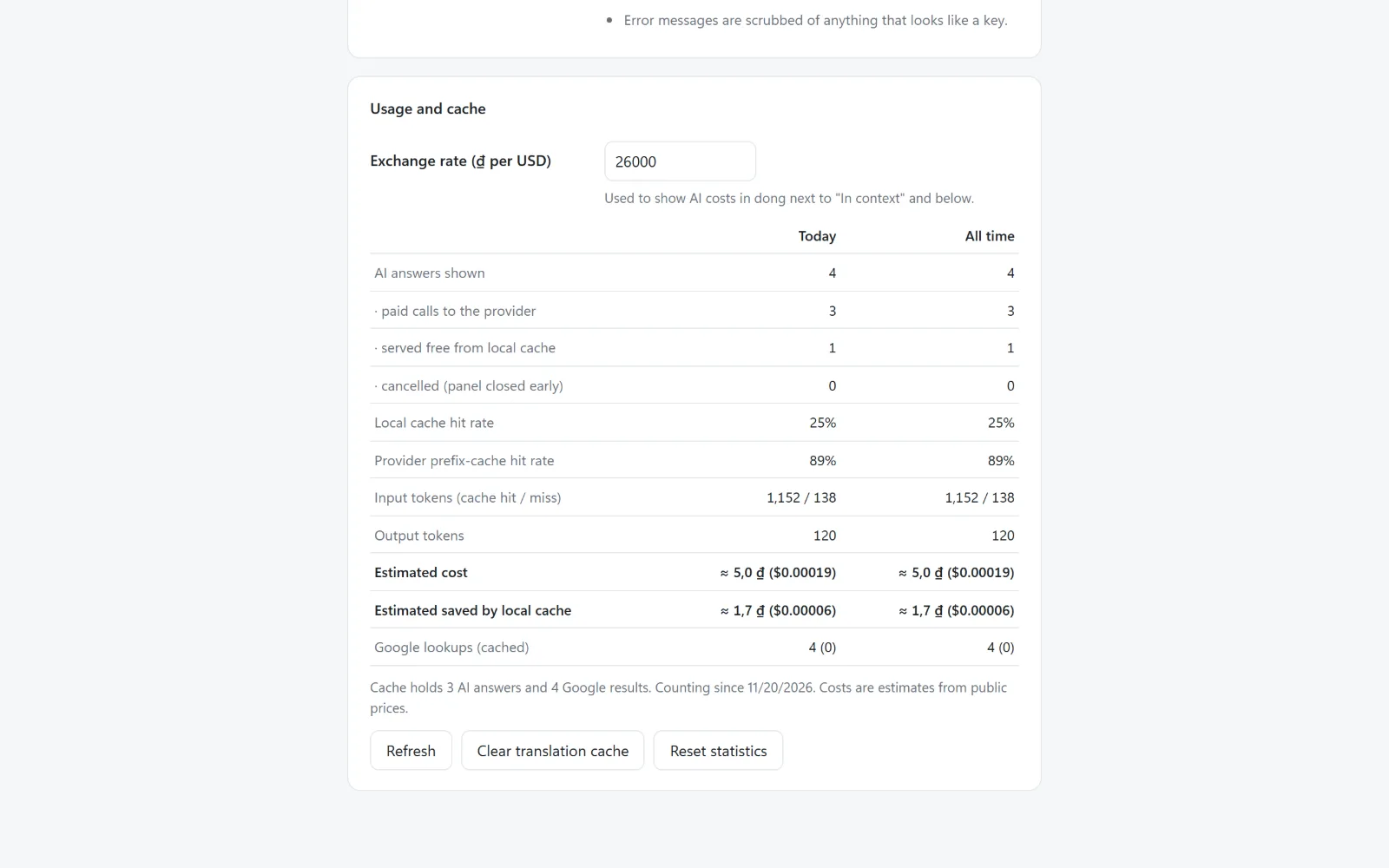
Nothing, if you use Gemini's free tier or a model running on your own computer. With DeepSeek, a word lookup costs a fraction of a US cent, and Tolkly prints the estimate next to every answer. Repeated lookups come from a local cache and cost nothing.

Gemini
Free tier with your own key
Ollama
Free, runs on your computer
DeepSeek
About 1–2 dong per word lookup
Limits
Daily budget and calls per minute
Tolkly usage table showing AI calls, local cache hits, tokens, estimated cost and savings in dong and US dollars.

How does Tolkly compare?

Compared with the two common kinds of translator extension. No product names, just how each kind usually behaves.

Plain translator extensionsFreemium AI translatorsTolkly
Meaning in contextNoYes, usually behind a subscriptionYes, with your own key
PDF translationRarelySometimesBuilt-in reader
Pages that block selectionNoNoRe-enable or Alt+Shift+click
Safe in WordPress editorsVariesVariesSilent unless you hold Alt
Ads or upgrade popupsSometimesOftenNone
Cost per AI lookup shownNo AIHidden in the planEvery lookup
Your dataVariesOften routed through the vendorDirect to the provider you pick

Turn on free AI in three steps

  1. Install Tolkly from the Chrome Web Store. Dictionary translation works right away.
  2. Create a free Gemini key at aistudio.google.com/apikey. It takes about a minute.
  3. Paste it in Tolkly's settings and press Save. Select any word: the AI line appears under the translation.

Questions

Is Tolkly free?

Yes. Tolkly has no paid plan. Dictionary translation is free. The optional AI explanation uses your own API key: free with Google Gemini's free tier or a local Ollama model, or pay-as-you-go with DeepSeek, OpenRouter or Groq, billed by that provider.

Does Tolkly collect my data?

No. Tolkly has no servers and no analytics. Selected text goes only to Google's translation service and, if enabled, to the AI provider you chose. Settings, cache and statistics stay in your browser. Details are in the privacy policy.

How does Tolkly protect my API keys?

Keys are encrypted with a non-exportable key inside the extension's own storage. Web pages and the in-page panel never receive them, they travel only over HTTPS to their own provider, and they are never shown again after saving.

Can Tolkly translate PDFs?

Yes. Web PDFs open in Tolkly's built-in reader, where text can be selected and translated like on a normal page. Local PDF files can be dropped onto the reader. Scanned PDFs without a text layer are not supported yet.

Does it interfere with WordPress or other editors?

No. Tolkly never inserts content into the page. Inside editable areas it reacts only when you hold Alt while selecting, and it never changes your selection there.

How much does the AI cost with DeepSeek?

A word lookup typically costs a fraction of a US cent, about 1 to 2 Vietnamese dong. Tolkly shows the estimate next to every answer, reuses cached answers for free, and stops at a daily budget you set.

Which browsers and languages are supported?

Chrome, Microsoft Edge, Brave and other Chromium-based browsers from version 116. Translation covers 38 languages, including English, Vietnamese, Chinese, Japanese, Korean, Spanish, French and German. The extension's own interface is in English.

Select something. See what it means here.

Tolkly is coming soon to Chrome free